
The name means two things
In a clinic, patients check in and check out. That is the day, over and over: arrive, be seen, settle up, leave.
It also means something else. People get checked out — depleted, running on habit, still doing the job and no longer quite in the room. It happens to the person at the front desk who has taken forty phone calls, to the medical assistant carrying a problem she cannot fix, and to the provider who has not stopped since seven. Nobody announces it. It just quietly becomes true.
Before someone checks out, somebody should check in.
That is the whole idea. The clinic is the setting; the people running it are the point.
What it actually is
A 3D outpatient pain-management clinic that keeps running whether you are watching or not. Patients arrive on a schedule, check in, wait, get roomed, get seen, and come back another day with the same chart they left with. The phones ring. The schedule slips.
You can watch it play itself, or take the provider's chair at any time and find out how the day goes when the decisions are yours.
Four things you will be doing
1. Working a case
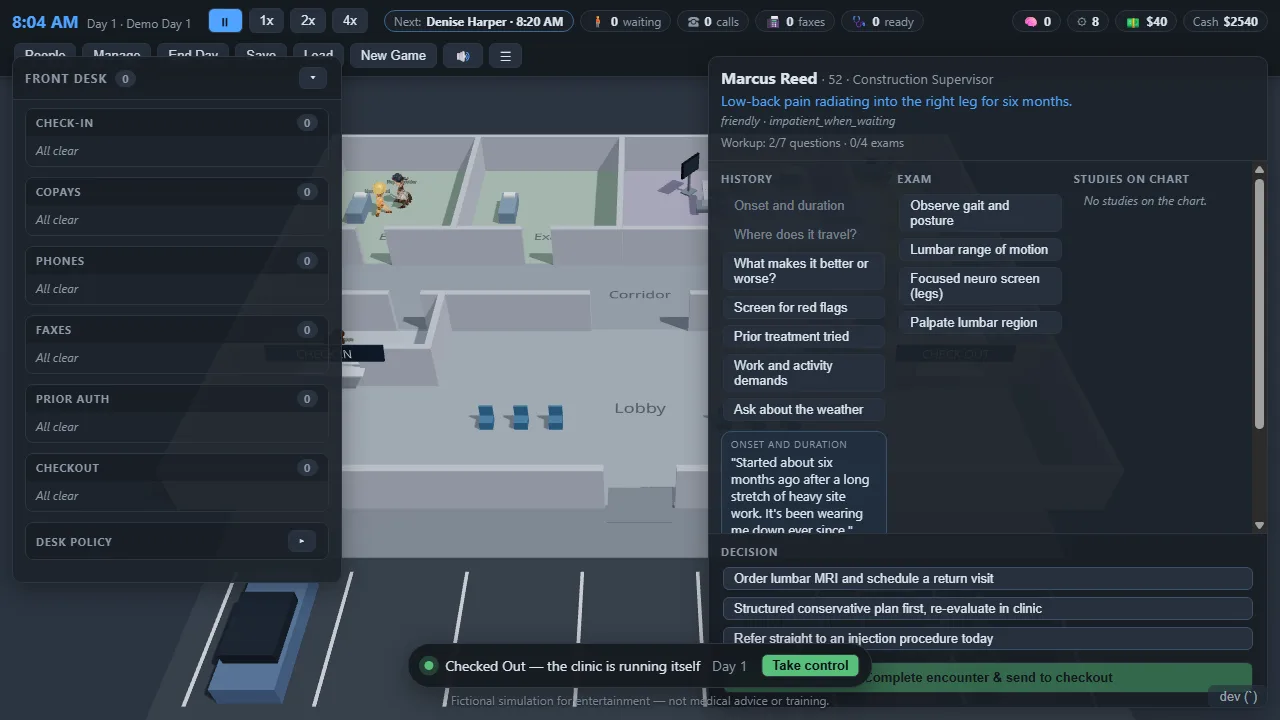
Take a history, examine, order what the story justifies — and then decide. The chart is not always on your side: one patient's imaging report says the problem is on the left while everything they told you says right. Treating the picture instead of the person is a choice the game lets you make, and scores accordingly.
2. Running a procedure
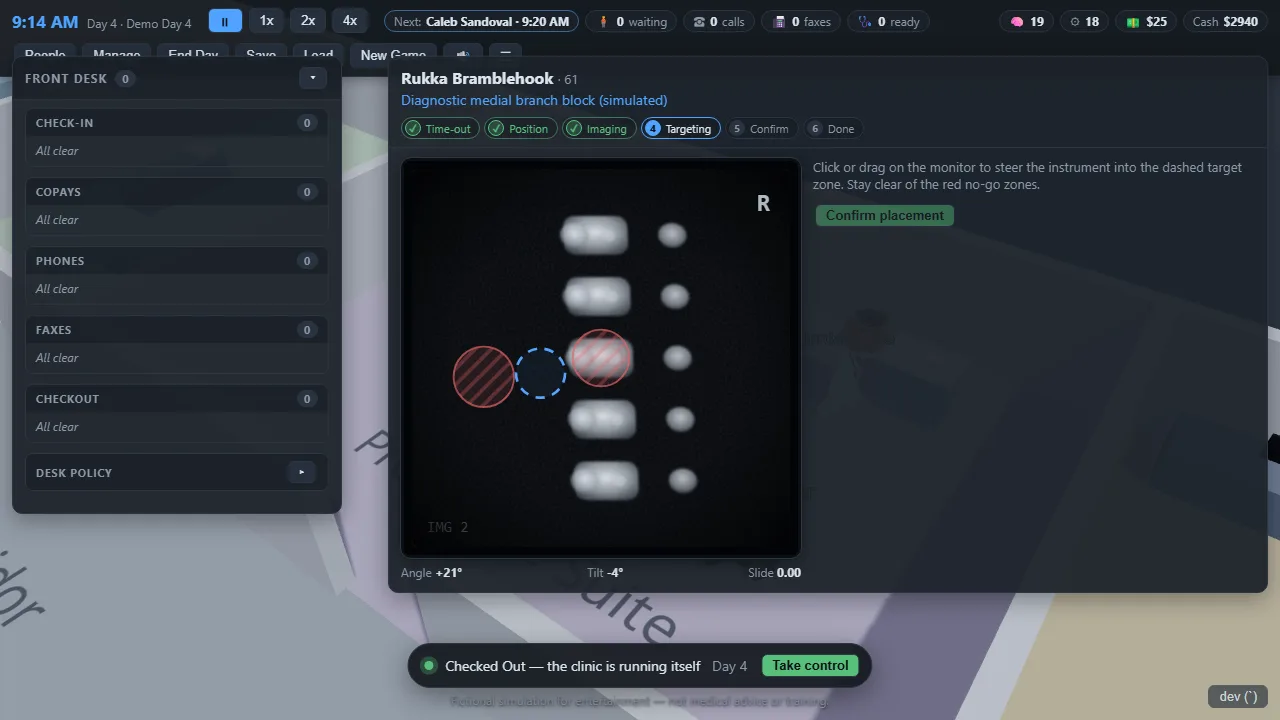
The suite is a workflow, not a surgery sim: confirm the patient, the procedure and the side; position them; find a working view with the C-arm; place the instrument inside the target zone and away from the no-go zones. Some procedures are diagnostic — a medial branch block earns its place by what the patient reports afterwards, and an ablation is only supported once two blocks have read positive.
3. Answering for what you wrote down
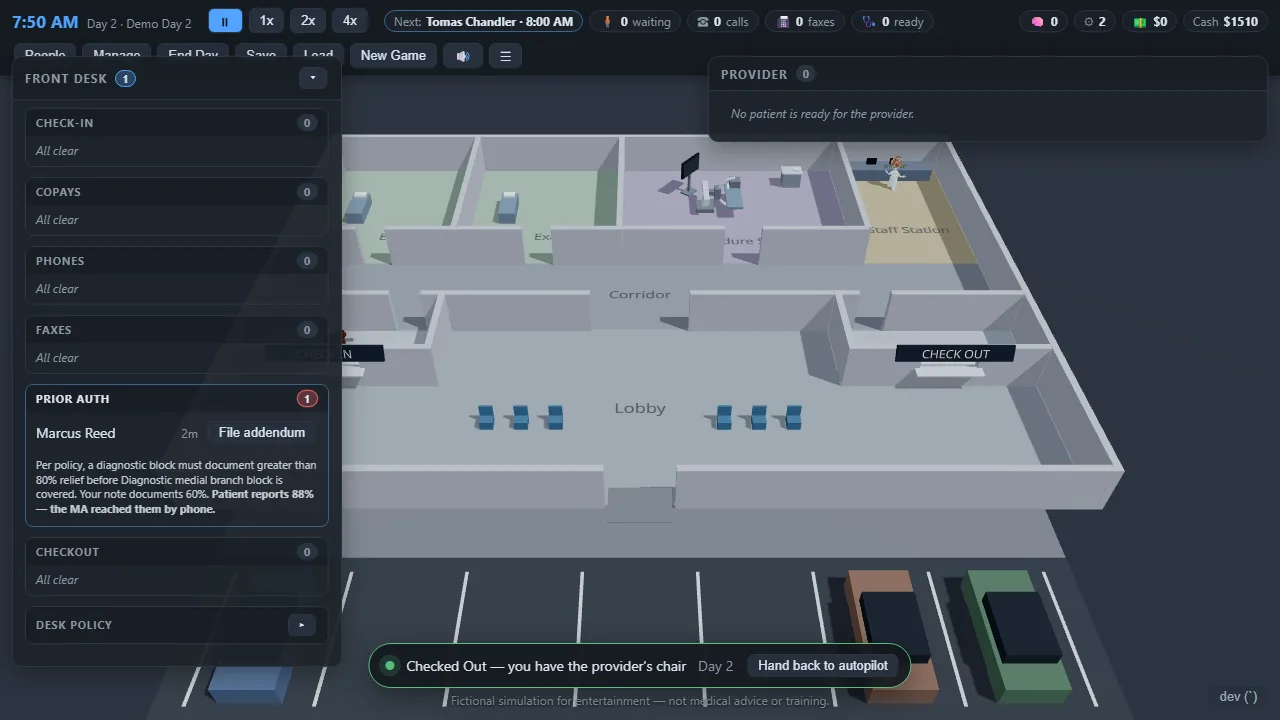
What gets submitted to the payer is the note, not what happened. Finish a visit without asking the patient how much relief their block gave, and the note still carries a number — just not a real one. If it falls short of policy, the procedure is denied, it comes off the schedule, and the message does not come back to you first. It goes to billing, then to the medical assistant, who has to call the patient for the figure nobody wrote down, and who takes the calls while you are with someone else.
4. Checking in on people
Your staff have a day too. They wear down, they miss lunch, they get pulled three ways at once, and you can see it in how they work. You can stop and ask how someone is doing — and it costs you the minutes it would really cost, because the queue keeps growing while you talk. It is not a productivity button. Asking every morning so the numbers go up does not work, and the game is built so that it cannot.
How to play
Watch first
The demo runs itself. Sit with it for a minute — patients arrive, get roomed, get seen. Then press Take control when you want the chair.
The left dock is the front desk
Check-in, copays, phones, faxes, prior auth, checkout. Anything with a number against it is waiting on somebody.
The right panel is the clinical work
Ask, examine, review results, decide. You cannot decide until you have opened a result that is sitting on the chart.
Keys
Space pauses. Esc opens the menu and save slots. The speed control at the top runs the day faster.
Best on a desktop or laptop — it is a 3D simulation with a lot of panels, and a phone screen fights it.
Who made it, and the boundaries
Built in the open by Chris Campbell, a physician assistant in interventional pain management. The clinical reasoning is meant to feel true to the work; the procedures are deliberately not.
This is entertainment. It is not medical advice and not clinical training. The procedure content is a game abstraction about workflow — verification, positioning, imaging orientation, broad target accuracy, safety awareness — and carries no agents, no doses, no depths and no technique. There is no real patient data in it, and there never will be.